
Remote Support
Fast, secure help from the Centurion team
Our remote support tool lets us connect to your PC quickly and securely to resolve your issue.
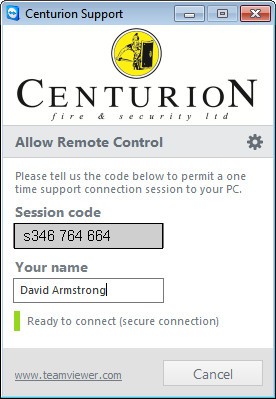
Guided Quick Start
Get the help you need in three simple steps.
-

Download
Download QuickSupport to your PC. No installation required.
-

Run
Open QuickSupport and wait for your session code.
-

Call us
Call 01484 321321 and read us the code on screen.

You stay in control
One-time access only, and only after you share your session code.
- One-time access
- No installation
- You give permission